

A complete guide to building your smart home from scratch. Learn about planning, network setup, device selection, automation, and security.
It all starts with a plan. Seriously. The biggest mistake I see people make is rushing out to buy the latest shiny gadget without thinking about what they actually want it to do. Building a truly smart home—one that genuinely makes your life easier—begins with a clear vision, not a shopping cart full of devices.
The goal is to create a seamless system that works for you, not a frustrating collection of apps and mismatched tech.
Your Smart Home Blueprint
Before you even browse for a smart plug or a fancy light bulb, let's step back and think about the big picture. A solid blueprint will save you time, money, and a whole lot of headaches down the road. It’s the difference between a home that feels intelligent and one that just feels cluttered with technology.
So, what’s driving this project? Are you trying to feel safer? Make your daily routine a little smoother? Maybe you’re just looking to trim down those hydro bills. Your "why" is the foundation for everything that comes next.
Define Your Core Goals
Let’s get specific. Most smart home ambitions boil down to a few key areas. Figure out which of these resonate most with you:
- Convenience: This is all about automating the little things that eat up your time. Imagine your lights fading on as your alarm goes off, your blinds opening automatically to greet the morning sun, or your coffee maker starting up the moment you step out of the shower.
- Security and Safety: This is about peace of mind. We're talking video doorbells so you always know who's at the door, smart locks you can control from anywhere, and smoke alarms that ping your phone if there's an issue when you're not home.
- Energy Efficiency: Want to lower your bills and be a bit kinder to the planet? A smart thermostat that learns your schedule is a game-changer, stopping you from heating or cooling an empty house. Smart plugs are also brilliant for cutting power to "vampire" electronics that draw power even when they're off.
- Entertainment: This is the fun stuff. Think about creating the perfect movie night vibe with smart lights that dim and change colour to match what's on screen, or a multi-room audio system that follows you from the kitchen to the patio.
Thinking through what matters most will help you focus your efforts and your budget where they'll have the biggest impact.
To help you get started, here’s a simple framework to organize your thoughts.
Smart Home Planning Framework
This table can help you translate broad ideas into concrete, actionable goals for your home.
| Planning Area | Key Questions to Ask | Example Goal |
|---|---|---|
| Convenience | What daily tasks are repetitive or annoying? | Automatically turn off all lights and lock the front door with a single "good night" voice command. |
| Security | What would make me feel safer at home and when I'm away? | Receive a phone notification with a video clip whenever motion is detected at the front door. |
| Energy | Where is my home wasting energy? | Program the thermostat to lower the heat by 5°C automatically when the house is empty. |
| Entertainment | How can I make my living spaces more enjoyable and immersive? | Create a "Movie Night" scene that dims the main lights, turns on accent lighting, and lowers the blinds. |
Take a few minutes to fill this out for your own home. It will bring incredible clarity to your project.
Plan Room by Room
With your main goals in mind, take a walk through your house, one room at a time. How could technology solve a specific problem or add a little bit of luxury to each space?
For example, the living room is a prime candidate for smart lighting and entertainment controls. The kitchen might be perfect for a smart display to show recipes or set timers with your voice. The bedroom? Think automated blinds and a smart speaker for a gentle wake-up routine.
A successful smart home isn't about jamming tech into every corner. It's about strategic placement. Focus on putting high-impact devices where they’ll solve a real problem or genuinely improve your day-to-day life.
Set a Realistic Budget
Here's the good news: you don't need to spend a fortune to get started. In fact, it's better if you don't. You can build an incredibly useful system by starting small and expanding over time. A great first step could be a single smart speaker and a couple of smart plugs, which might only set you back a hundred dollars.
Think about your budget in phases. First, invest in the fundamentals—a rock-solid Wi-Fi network is non-negotiable. From there, you can layer in new devices as your budget allows, maybe starting with smart lighting in one room and adding a smart thermostat next season. This approach keeps you from getting overwhelmed and ensures every dollar you spend adds real value to the system you're building.
Building a Rock-Solid Smart Home Network
A smart home is only as good as the network it runs on. Seriously. I can't tell you how many times people get frustrated with laggy voice commands, cameras that constantly drop their connection, or lights that just won't turn on, and the culprit is almost always a weak or congested Wi-Fi signal.
Think of your network as the digital nervous system for your entire home. Getting this part right is the single most important investment you can make, and it involves more than just plugging in the router your internet provider gave you. To create that seamless experience everyone wants, you first need to get a handle on the hardware that powers your connection and the invisible radio waves that let all your gadgets talk to each other.
This whole planning process really boils down to a few key pillars.
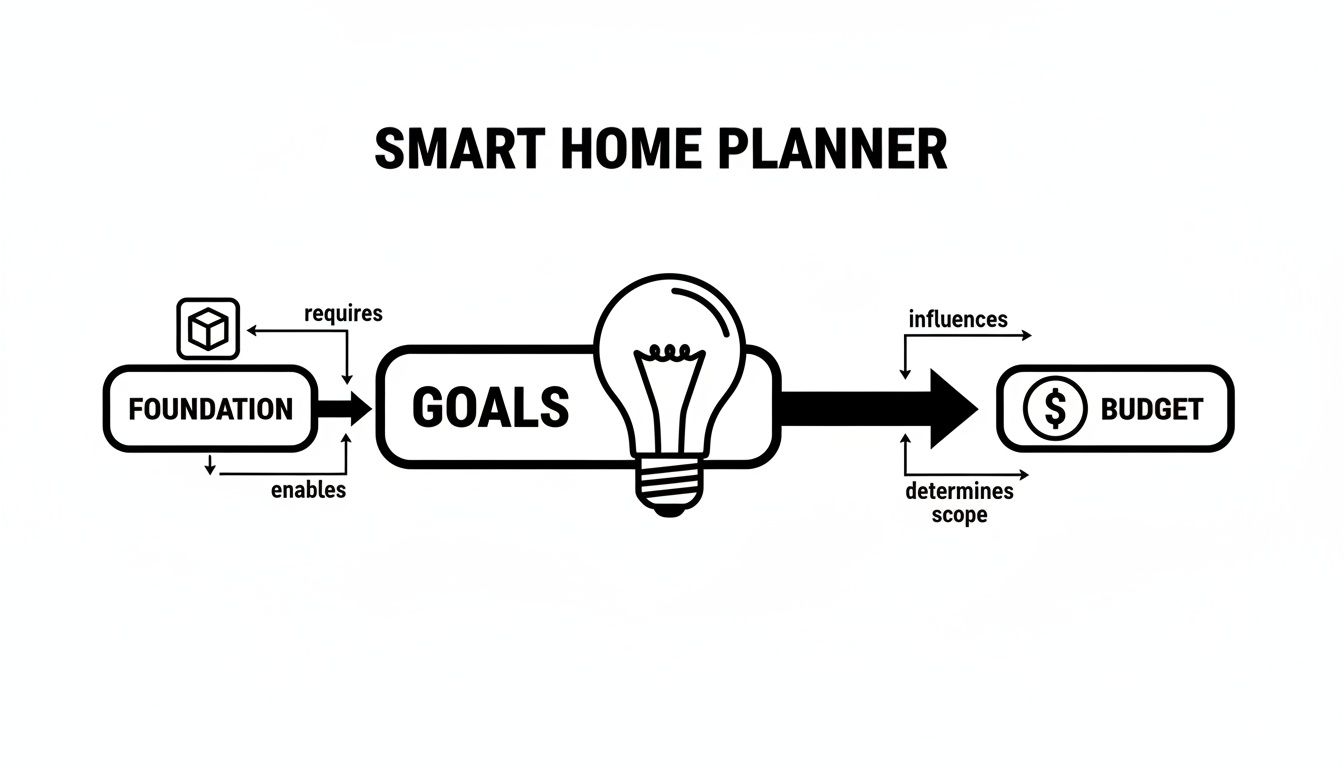
As you can see, a solid foundation—especially your network—is what makes it possible to hit your smart home goals without blowing your budget.
Your Network Hardware Options
Home networks are definitely not a one-size-fits-all situation. Your choice really depends on the size of your home and how many devices you plan to throw at it. Each option has its own clear advantages.
- Standard Router: This is the single box you’re probably used to. It works perfectly well for smaller spaces like apartments or condos. Just do yourself a favour and place it in a central, open area—not tucked away in a closet in the corner of your basement.
- Mesh Wi-Fi System: For larger or multi-storey homes, a mesh system is usually the way to go. It uses multiple "nodes" placed around your house to create one big, unified Wi-Fi network. This is how you kill those annoying dead zones and make sure everything, especially devices like outdoor security cameras, has a strong signal.
- Wired Ethernet: Wi-Fi is great for convenience, but for pure speed and reliability, nothing beats a physical cable. I always recommend running Ethernet cables for stationary, high-bandwidth devices like your main smart TV, a desktop computer, or a central smart home hub. This takes the heavy lifting off your Wi-Fi, freeing up bandwidth for all your phones and tablets.
Here's a pro tip for boosting both speed and security: create a separate Wi-Fi network just for your smart home gadgets. Many modern routers can do this, letting you isolate all your IoT devices from your personal computers and phones. It's a simple change that makes a big difference.
Understanding Smart Home Protocols
Your main Wi-Fi network is only part of the story. Many smart devices use other low-power wireless "languages," or protocols, to chat directly with each other. Getting your head around these is crucial for choosing compatible devices and building a system that’s actually responsive.
These protocols often create their own "mesh" networks, which is a neat trick where devices can relay signals to one another. This extends the network's range and makes it more robust. For example, a smart plug in the hallway can help a signal from your hub reach a smart lock on the front door.
Here are the main players you’ll run into:
- Zigbee: A popular, low-power protocol known for being fast and able to support a ton of devices. It's a go-to for things like smart lighting and sensors.
- Z-Wave: This is another low-power option that smartly operates on a different frequency from Wi-Fi, which helps reduce interference. It’s highly respected for its security features, making it a favourite for devices like locks and garage door openers.
- Thread: A newer protocol designed specifically for the smart home. It offers a secure, self-healing mesh network and happens to be a core component of the Matter standard.
The Rise of Universal Compatibility with Matter
For years, the biggest headache in smart homes was getting devices from different brands to play nicely together. You'd buy a thermostat from one company and lights from another, only to discover they refused to communicate. The Matter standard was created to fix this exact problem.
Think of Matter as a universal translator. It allows devices to speak a common language, no matter who made them. When you choose Matter-certified devices, you're ensuring they will work with the big ecosystems like Apple Home, Google Home, and Amazon Alexa. This gives you incredible flexibility.
This one standard simplifies everything, letting you focus on picking the best device for the job, not just the one that happens to be compatible with your current setup. As you build out your system, just look for the Matter logo—it's your ticket to a more unified and future-proof smart home. If you want to dig a bit deeper, you can learn more about the promise of universal smart home control with Matter 2.0 and what it means for your home.
Choosing the Right Devices for Your Home
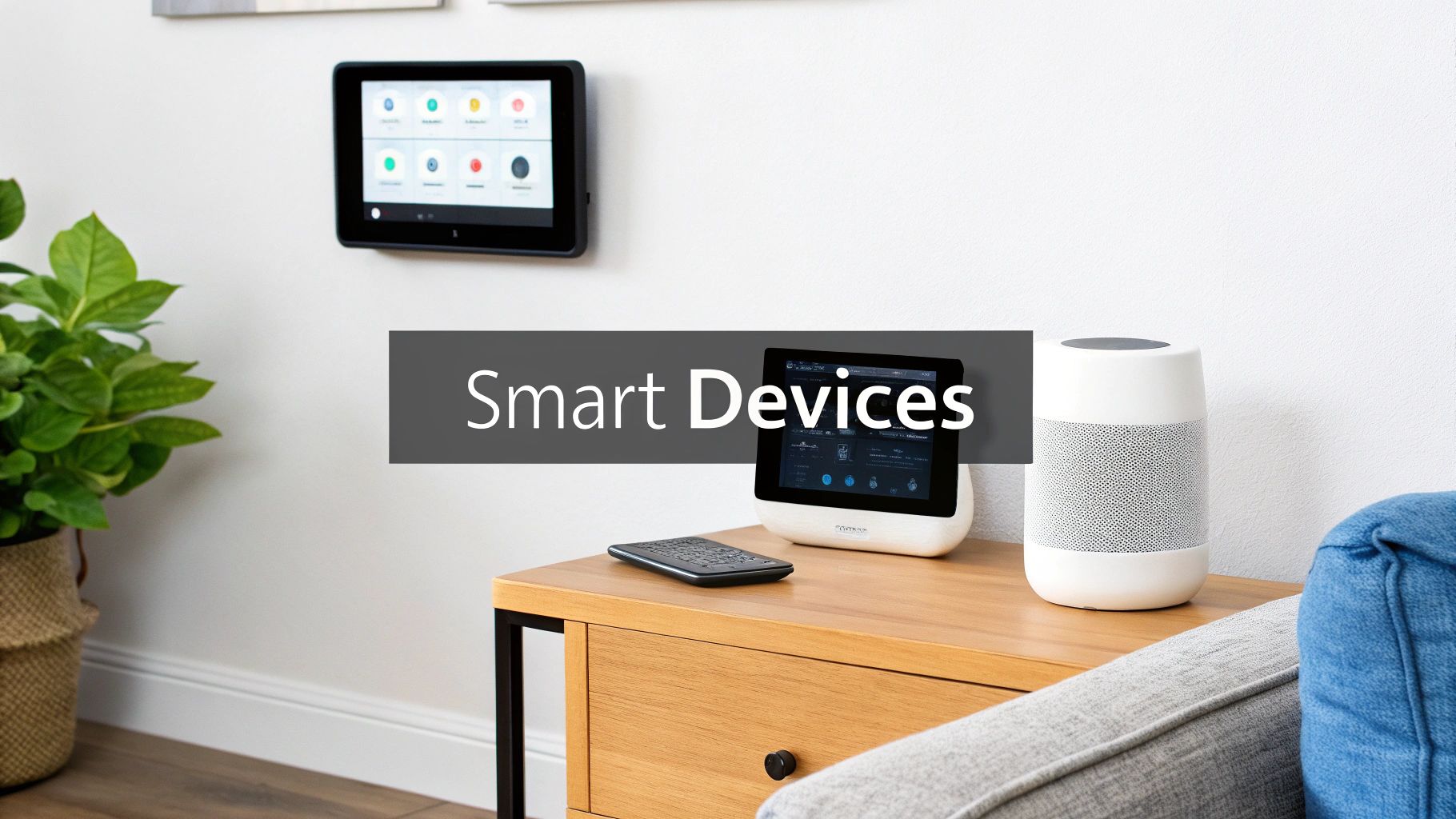
Okay, your network is solid and you've got a plan. Now for the exciting part—picking the gear. This is where your smart home concept starts to feel real, but it's also where the sheer number of choices can be overwhelming. The key isn't just to buy the "best" gadget on the market; it's about choosing devices that work together to create a single, seamless system.
Think of it like building a team. You need players who are great at their individual jobs—a top-notch thermostat, a sharp security camera—but who also communicate well with each other. A house full of disconnected all-star devices is just a collection of expensive gadgets. A cohesive, integrated team is what makes a home truly smart.
Start with High-Impact Areas
My advice? Don't try to automate the whole house at once. You'll burn out and blow your budget. Instead, focus on the rooms where a bit of smart tech will make the biggest, most immediate difference. For most of us, that's the living room, kitchen, and main entryways.
Living Room: This is your home's entertainment and relaxation hub.
- Smart Lighting: This goes way beyond just voice-controlled on/off. With bulbs from brands like Philips Hue or Nanoleaf, you can change colours and brightness to set a mood. A classic example is a "Movie Night" scene that dims the main lights to 10% and turns accent lamps to a soft blue, all with one command.
- Smart Speakers & Displays: A Google Nest Hub or Amazon Echo Show can become your central command post. You can ask it to play music, check the weather, control other devices, or even pull up a recipe while you're in the kitchen.
- Automated Blinds: This feels like a luxury, but it has real practical benefits. Companies like Lutron and IKEA have options that can open your blinds with the sunrise to wake you up naturally or close them during the hottest part of the day to save on cooling costs.
Kitchen: In here, it's all about hands-free efficiency. A smart display is your best friend—you can set multiple cooking timers, add things to your shopping list, or follow a video recipe, all without smearing flour on a screen.
Prioritize Based on Popularity and Growth
When you're figuring out where to spend your money first, it's helpful to see what other homeowners are finding valuable. The smart home market is massive—in North America alone, it generated $32.8 billion in revenue in 2024.
Inside that market, a few categories really stand out. Smart entertainment systems and smart thermostats are leading the charge, with 49% of consumers owning them. They're followed closely by smart doorbells (43%) and smart security cameras (40%). Smart lighting is also a category to watch; it's projected to have the highest growth of any device type in 2026. You can discover more insights about the future of smart homes from industry analysis to see where things are headed.
The data is pretty clear: people are focusing on comfort, security, and entertainment. Starting with a smart thermostat or a video doorbell is a surefire way to add immediate, tangible value to your daily life.
Build a Unified Ecosystem, Not a Gadget Graveyard
If you take only one thing away from this section, let it be this: compatibility is everything. Before you buy a single device, you have to ask, "Will this work with the rest of my stuff?" The goal is one clean app or voice assistant to run it all, not a dozen different apps cluttering up your phone.
Here’s a simple checklist to make sure everything plays nicely together:
- Pick Your Core Platform: Decide if you're building your system around Apple Home, Google Home, or Amazon Alexa. This will be your primary control interface. When you're shopping, look for the "Works with..." logo for your chosen platform right on the box.
- Look for the Matter Logo: As we covered earlier, Matter is the universal language for smart devices. Prioritizing Matter-certified products is the smartest move you can make to future-proof your home. It ensures a device you buy today will work with a hub you buy next year, regardless of brand.
- Check Protocol Compatibility: If you're using a dedicated hub that runs on Zigbee or Z-Wave, double-check that your new devices speak the same language. A Zigbee light bulb can't talk to a Z-Wave hub on its own.
I've seen it a hundred times: someone buys a device because it's on sale, only to get home and realize it doesn't talk to their main system. Always, always verify compatibility first. It will save you a world of frustration and keep your smart home from turning into a "gadget graveyard" of isolated, useless devices.
A Deeper Dive into Smart Lighting
Given its popularity and incredible potential, smart lighting deserves its own moment. It’s one of the most powerful ways to instantly change the feel of a room and is a fantastic on-ramp for anyone new to smart homes. From simple dimmable white bulbs to vibrant, colour-changing light strips, the options are endless. To get the full picture, check out our complete smart lighting guide, from basics to advanced automation. It will walk you through designing lighting scenes that can completely transform any space.
Creating Automations That Simplify Your Life
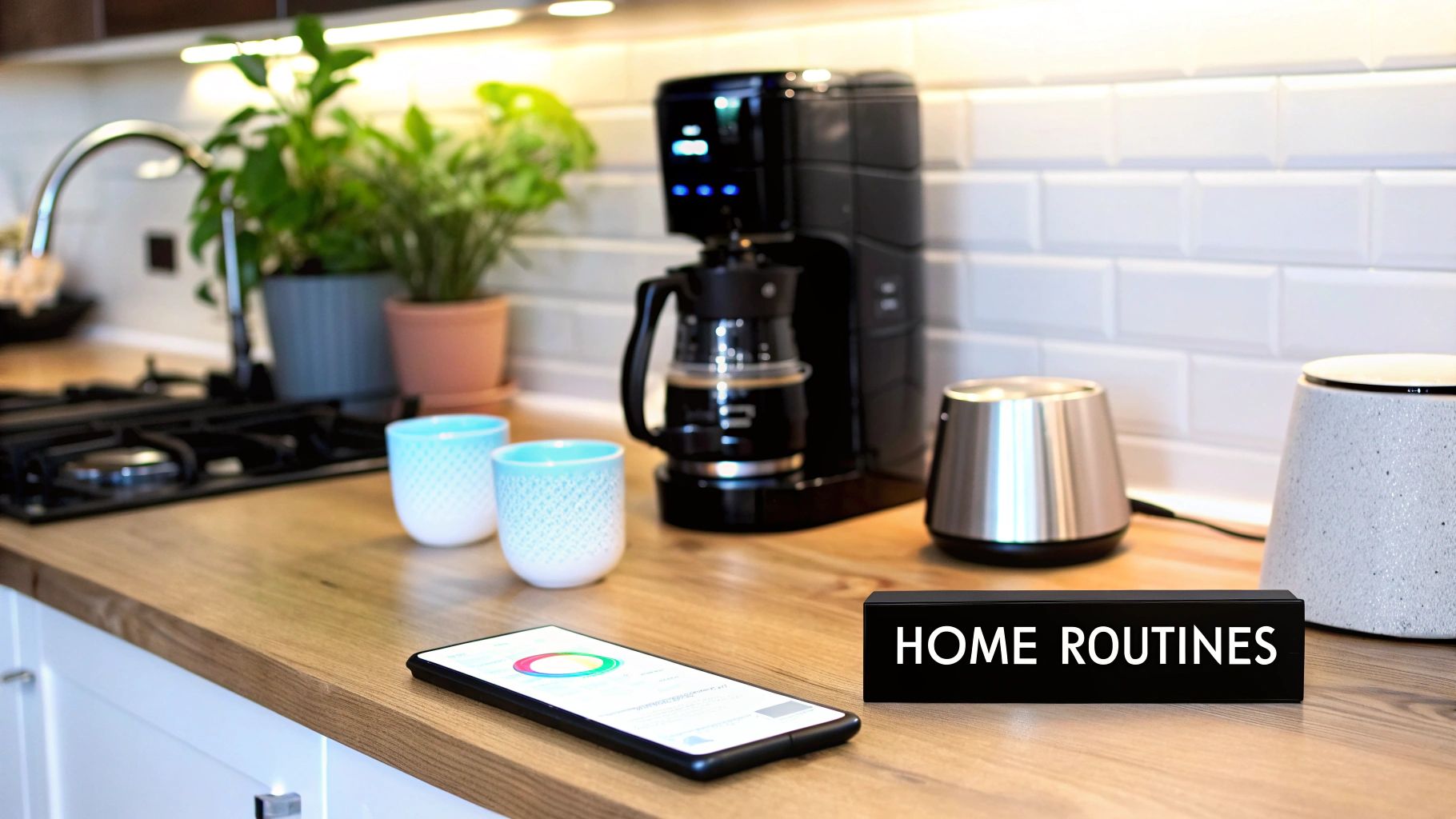
Having a few smart devices is one thing, but the real magic happens when they start working together—without you even having to ask. This is where automation elevates a collection of cool gadgets into a truly intelligent home. We're moving beyond just telling a speaker to turn on a light and into creating sophisticated routines that actually anticipate what you need.
The goal is to make your home adapt to your lifestyle, not the other way around. Think of these automations like recipes: a trigger (like a motion sensor detecting you) causes an action (like a light turning on). By stringing together triggers, conditions, and actions, you can build sequences that save time, beef up your security, and just make daily life a little more comfortable.
From Simple Scenes to Complex Routines
Let's break it down. The simplest form of automation is a scene, which is just a bundle of settings you can fire up with a single command. A routine, on the other hand, takes it a step further by happening automatically based on a trigger.
For instance, you could create a "Movie Night" scene. Tapping a button or saying the command could dim your living room lights to 20%, switch your accent lighting to blue, and lower the smart blinds. It’s handy, but we can do better.
Now, imagine a "Movie Night" routine. This could kick in automatically when you turn on your smart TV after 8 PM on a weekend. The lights dim, the blinds close, and the soundbar flips to its cinema mode—all without you lifting a finger. That’s the real power of automation.
The best automations are the ones you set up once and then completely forget about. They should weave themselves so seamlessly into your life that you only notice them when they're not there.
Practical Automation Recipes For Your Home
The possibilities here are endless, but it's always best to start with routines that solve real, everyday annoyances. Here are a few practical "recipes" you can try that will have an immediate impact.
The "Good Morning" Routine
This is a classic for a reason—it gently eases you into the day instead of jolting you awake.
- Trigger: Your morning alarm is dismissed on your phone.
- Actions:
- Bedroom lights slowly fade up from 0% to 70% over ten minutes.
- Smart blinds gradually open to let in natural light.
- Your smart speaker starts playing a chill playlist or your favourite news briefing.
- The smart plug in the kitchen clicks on, starting the coffee maker.
The "I'm Leaving" Routine
Get some peace of mind every single time you head out the door.
- Trigger: Your phone’s location leaves your home’s geofence (a virtual perimeter).
- Actions:
- All lights in the house turn off.
- The smart thermostat sets itself to an energy-saving "Away" mode.
- The front door's smart lock engages automatically.
- The robot vacuum gets to work, starting its cleaning cycle.
The "Welcome Home" Routine
There's nothing better than coming back to a house that's ready for you.
- Trigger: Your phone is detected entering the geofence.
- Actions:
- The thermostat adjusts to your preferred temperature.
- If it’s after sunset, the front porch and entryway lights switch on.
- The smart lock on the front door unlocks.
Getting More Advanced with Conditions
Real smarts come from adding conditions to your automations. Conditions are the "if" part of your logic, making sure routines only run when they're actually needed.
A perfect example is a hallway motion sensor. You can set it to turn on the lights when it detects motion, but you don't need that happening in the middle of a bright, sunny day.
Here's how you can make that routine smarter with a condition:
- Trigger: Motion is detected in the hallway.
- Condition: IF the time is between sunset and sunrise.
- Action: Turn on the hallway lights to 100%.
We can even layer in more detail. What if you’re just grabbing a glass of water at 2 AM? You don’t want to be blinded by a full-blast light.
- Trigger: Motion is detected in the hallway.
- Condition 1: IF the time is between 11 PM and 6 AM.
- Action 1: Turn on hallway lights to just 15% brightness.
- Condition 2: IF the time is between sunset and 11 PM.
- Action 2: Turn on hallway lights to 100%.
This is the kind of granular control that makes a home feel truly responsive. The secret is to simply pay attention to your own habits and build automations that support the way you already live.
Securing Your Connected Home
When you start adding smart devices to your home, you're doing more than just adding convenience. You're also creating new digital doorways into your personal life. Think about it: every connected camera, light switch, or thermostat is a potential entry point. That’s why taking security and privacy seriously from day one is non-negotiable.
This isn't about becoming a cybersecurity expert overnight. The good news is that a few simple, powerful habits can make a huge difference in protecting your network and the personal data that travels across it. A little bit of digital hygiene goes a long, long way.
Your Digital Security Checklist
Consider this your essential security routine. These are the absolute must-dos for any smart homeowner to build a solid first line of defence. Nailing these basics is the single most effective thing you can do to keep your connected home safe.
Here's what you need to put in place right away:
- Unique, Strong Passwords: I can't stress this enough: never, ever reuse passwords. Every single smart device needs its own complex and unique password. Your best bet is to use a trusted password manager to generate and store them for you—trying to remember them all is a recipe for disaster.
- Two-Factor Authentication (2FA): If an app or service offers 2FA, turn it on. Period. This is especially critical for the main apps that control your home, like Google Home or Apple Home. It adds a crucial second layer of security, meaning that even if someone steals your password, they can't get in without the code from your phone.
- Keep Firmware Updated: Manufacturers constantly release updates to patch security holes. Always enable automatic updates if the option is there. If not, get into the habit of checking for them manually at least once a month. Running a device on outdated firmware is like leaving your front door unlocked.
Your home's Wi-Fi network is the master key to everything. Secure it with a strong, WPA3-encrypted password and, for goodness sake, change the default admin username and password on your router the moment you set it up.
Smart Power Management and Resilience
Security isn’t just about fending off hackers; it's also about protecting the physical hardware that makes your smart home tick. Power surges during a thunderstorm or even a simple blackout can fry your expensive gear, leaving your smart home... well, not so smart. A little planning here ensures your system is not just intelligent, but also resilient.
I like to think of smart power management as a two-part strategy. First, you want to get a handle on your energy consumption. Second, you need to actively safeguard your equipment from electrical hiccups.
Monitor and Protect Your Devices
Smart plugs are fantastic for more than just voice-controlling a lamp. Many models now come with built-in energy monitoring, giving you a real-time look at how much power an appliance is drawing. This is a game-changer for hunting down those "vampire" devices that suck up electricity on standby and drive up your hydro bill.
For your most critical gear—like your router, mesh nodes, and smart home hub—an uninterruptible power supply (UPS) is one of the best investments you can make. It's basically a big battery backup that keeps things running during a short outage. More importantly, it shields your sensitive electronics from the power surges and dips that can cause permanent damage.
Plugging your home’s digital brain into a UPS guarantees it stays online and protected. For a much deeper dive into protecting your home, our guide on how to build a complete smart home security system covers everything from digital threats to physical security measures.
The Real-World Payoff: Is a Smart Home a Good Investment?
Let’s be honest: building a smart home is about more than just the cool factor. It’s a financial decision, and like any investment, you want to know what the return will be. The good news is that smart, strategic upgrades can pay for themselves over time, both in your monthly bills and in the long-term value of your property.
The most immediate and tangible return on your investment comes from energy savings. Think about it: a smart thermostat that actually learns your family's comings and goings can easily slash your heating and cooling costs by 10-12% a year. Pair that with automated lighting that ensures you’re never paying to light up an empty room, and you'll see a noticeable dent in your monthly hydro bills. It's a slow burn, but it adds up.
Making Your Home More Valuable on the Market
When it's time to sell, smart features can give you a serious edge. In today's real estate market, a home that comes pre-wired with integrated security, climate control, and smart lighting simply stands out. For a growing number of buyers, this kind of tech-forward setup isn't just a bonus—it's a baseline expectation.
The numbers back this up. One wide-ranging study found that homes marketed with modern tech like virtual tours sell a whopping 31% faster and for up to 9% more than similar homes without. With nearly 42% of homebuyers already planning to install smart technology after they move in, a home that has it ready to go is incredibly appealing. If you're curious, you can dig into the full findings of this real estate trend report to see the data for yourself.
A smart home has moved beyond the realm of gadget-lovers and into the world of tangible assets. Features that deliver real-world benefits—security, efficiency, convenience—are now viewed as essential upgrades that justify a higher asking price.
This isn't just a fleeting trend. As buyers increasingly prioritise connected and efficient living, the investments you make today are about more than just improving your own life. You’re future-proofing your property and making sure it stays competitive and desirable for years to come.
Got Questions About Your Smart Home? Let's Clear Things Up.
Getting into smart home tech for the first time can feel a bit like learning a new language. You'll hear about hubs, protocols, and standards, and it's easy to get overwhelmed. Let's break down some of the most common questions people have right at the start. Answering these now will save you a ton of frustration later on.
The first big question is always, "Do I really need a hub?" Honestly, you might not. When you're just starting with a few gadgets like a smart speaker and some light bulbs, connecting everything directly to your Wi-Fi through apps like Google Home or Amazon Alexa works just fine.
But as your collection of devices grows, you might notice your Wi-Fi network starting to feel sluggish. That’s where a dedicated hub comes in. By using protocols like Zigbee or Z-Wave, a hub creates a separate, private network just for your smart devices. This frees up your Wi-Fi and often makes your automations respond instantly.
Why You Should Care About Matter
You’re going to see the Matter logo on a lot of new smart home packaging, and it's a huge deal. Matter is basically a universal language designed to fix the single biggest headache in smart home history: getting devices from different companies to actually talk to each other.
By choosing devices that are Matter-certified, you're buying into an open standard. It means your Google Nest thermostat can work seamlessly with your Philips Hue lights and an Amazon smart plug without any complex workarounds. This gives you the freedom to buy the best device for the job, regardless of the brand.
My best advice for future-proofing your smart home? Prioritize Matter-certified products whenever you can. It guarantees you won't be locked into one company's ecosystem and gives you the flexibility to adapt as technology changes.
Can You Build a Smart Home Without Breaking the Bank?
Yes, absolutely. Forget the idea that you need to drop thousands of dollars all at once. The trick is to start small with devices that offer a big impact for a low cost.
- Smart Plugs: For less than $20, you can make any "dumb" appliance smart. Think about automating the coffee maker in the morning or putting a floor lamp on a schedule.
- Smart Bulbs: Don't feel like you need to replace every bulb in your house. Start with one room, like the living room or bedroom, to get a feel for automated lighting and colour control.
- Solve One Problem First: The smartest investment is often the one that saves you money. A smart thermostat, for example, can pay for itself in energy savings, which you can then put toward your next smart home purchase.
Think of it this way: building a great smart home is a marathon, not a sprint. Start with a clear goal, solve a real problem you have, and let your system grow organically from there.
Ready to dive deeper into the latest in smart home technology? Explore in-depth reviews, guides, and analysis at Celmin to make informed, future-proof choices for your connected home. https://celmin.ca




Discussion
Sign up or sign in to join the conversation.